ASP.NET Core
This article describes how to use Orca within an ASP.NET Core web app.
Setup
First add the Orca.AspNetCore package into your project.
.NET CLI
dotnet add package Orca.AspNetCore
Package Manager
Install-Package Orca.AspNetCore
In the Program.cs, register the Orca authorization services:
Basic configuration
builder.Services
  .AddOrca()
  .AddAuthorization();
Advanced configuration
builder.Services
  .AddOrca()
  .AddAuthorization(options =>
  {
    options.Schemes.Add("Bearer");

    options.Events.UnauthorizedFallback = (context) =>
    {
        context.Response.StatusCode = StatusCodes.Status403Forbidden;
        return Task.CompletedTask;
    };
  });
AddAuthorization method configures the authorization handler for ASP.NET Core.
Usage
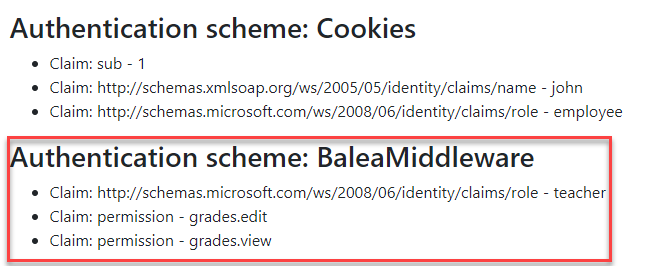
Orca automatically maps roles and permissions to ASP.NET Core user claims.
Authorize role
[Authorize(Roles = "custodian")]
public IActionResult OpenDoor()
{
  return View();
}
Authorize policy
[Authorize(Policy = "grades.view")]
public IActionResult ViewGrades()
{
  return View();
}
Endpoints
Orca provides a set of endpoints to interact with the stores using a minimal API.
app.MapAccessManagementApi();